BitTycoon: BTC Cloud Mining
Little-AntsFinance
3.9757.00 Reviews
- Version
- 1.6.2
- Installs
- 1.00M
- Age Rating
- Everyone
Screenshots
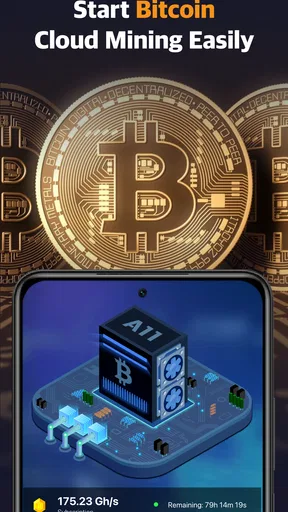
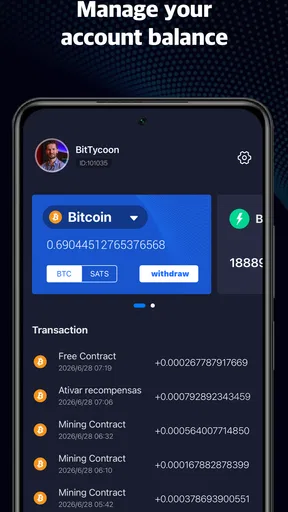
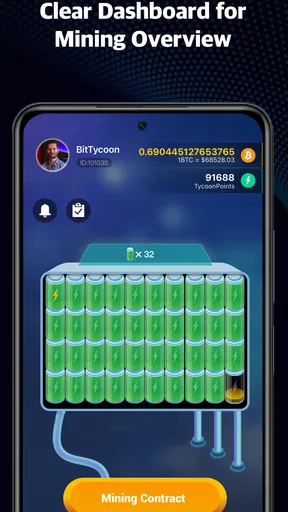
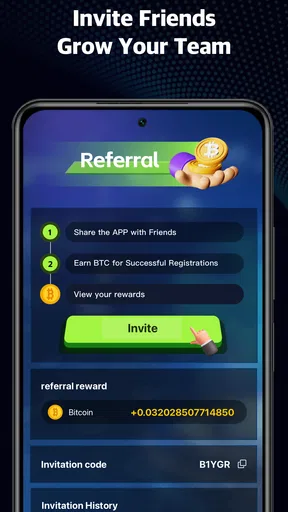
Our Review of BitTycoon: BTC Cloud Mining
 Analysis by Appyee
I approached BitTycoon: BTC Cloud Mining as a phone-based way to explore the idea of Bitcoin mining, rather than as a replacement for owning mining hardware or as a dependable source of income. That distinction matters: an app can make the subject approachable and give you a recurring activity to check, but virtual mining progress is not the same thing as running equipment or guaranteeing a financial return. If you keep that expectation in mind, it is easier to judge whether its mix of management and rewards suits you.
What “mining” means in this kind of app
Cloud-mining language can sound like a promise of passive earnings, so I would treat it carefully. The appealing part here is the simulation-like loop of tending virtual rigs and seeing progress advance; that can be entertaining without requiring a physical setup. I would not use a rising in-app balance as a reason to spend money or assume it will translate into withdrawable Bitcoin. Anyone whose main goal is to earn cryptocurrency should first understand the app’s terms and any conditions attached to rewards, and compare those with a conventional exchange or wallet.
This is a useful distinction for beginners, too. BitTycoon can give you a low-pressure place to become familiar with mining-themed concepts, but it should not be treated as a course in how the Bitcoin network works. I’d pair it with independent learning if you want to understand real mining economics, hardware costs, energy use, or the risks of cryptocurrency. The app’s strongest role is entertainment and casual exploration, not financial instruction.
How it fits into an ordinary day
A realistic way to use it is to open it during a short break, check the current rig progression, collect a daily reward if one is available, and then leave it alone until later. That routine makes more sense to me than keeping the app open for long stretches in the hope of forcing faster progress. The daily check-in and upgrade loop are naturally suited to brief visits, while events and challenges give you a reason to return when you want a more involved session.
There is a small trade-off in that routine: a daily reward can make an app feel satisfying, but it can also turn a hobby into an obligation. If you find yourself opening it only because you fear missing a bonus, I’d step back and decide whether the activity itself is still fun. A good practical boundary is to treat rewards as optional extras rather than a schedule you must maintain.
Speed, activity, and resource expectations
The central appeal is visible progression, not a demanding real-time workload. I would expect the experience to feel most engaging when I’m choosing how to manage or upgrade a rig, then quieter while progress accumulates. That pacing suits a casual mobile app better than an experience that asks for constant attention. It also means a slow-looking counter is not necessarily a sign that your phone is underperforming; the app’s progression loop and the device’s processing speed are separate things.
For a heavier session, such as looking through upgrades, rewards, and an event in one sitting, I’d pay attention to whether the interface stays comfortable and whether the session remains worthwhile. The sensible approach is to use it interactively when you have a reason to make choices, rather than leaving it running in the foreground. I can’t infer from the mining theme alone that the phone is performing real calculations for Bitcoin, so I wouldn’t judge the app’s legitimacy or profitability by how warm a device gets or how quickly its battery drains.
When an app appears to pause or refresh, the useful first step is to distinguish between a temporary display issue and a change in your account progress. I’d close and reopen it, check the connection, and give the screen a moment to settle before making repeated taps or purchases. If progress or a reward seems inconsistent after that, contacting support is more sensible than assuming that reinstalling will recover account information. Before troubleshooting, make sure you know how you sign in; that simple habit can prevent avoidable account-access frustration.
Getting Started with BitTycoon
First things first, BitTycoon is super easy to set up. You just install the app, create an account, and boom, you’re in the mining business. The interface is clean and user-friendly, which is a big plus if you’re new to the whole crypto scene. Everything is laid out in a way that makes it simple to navigate, even if you’re not a tech whiz.
The Features that Stand Out
One of the coolest things about BitTycoon is the virtual mining rigs. You get to upgrade and manage your rigs, which feels like running your own little mining empire. The more you upgrade, the more Bitcoin you mine, and watching those numbers tick up is oddly satisfying.
Another feature I love is the daily rewards. Who doesn’t like free stuff? Every day you log in, you get bonuses that help boost your mining capabilities. It’s a smart way to keep users coming back and staying engaged. Plus, there are events and challenges that add a competitive edge to the mining process.
Choosing it over other finance apps
Little-Ants has made BitTycoon as a finance app, but its feel is closer to a casual management game than to a wallet, exchange, or budgeting tool. That difference is important when comparing alternatives. A wallet is for holding and managing assets; an exchange is for buying or selling; a budgeting app is for tracking household money. This app’s draw is its virtual rig progression and repeat visits, so it is a better fit for someone curious about a mining-themed pastime than for someone who needs practical financial tools.
It may also be a poor match if you dislike progression systems that encourage regular check-ins. The upgrades and rewards are the reason to return, but they can feel repetitive if you want every session to deliver a new lesson or meaningful decision. I’d choose a dedicated educational resource for structured learning, and a reputable financial service for actual asset management. BitTycoon makes most sense when you want a lightweight, game-like diversion and are comfortable keeping it separate from serious money decisions.
Before spending anything, I’d explore the free experience and work out what the upgrades actually change for your own enjoyment. The app is free to download, but it includes optional in-app purchases, listed from $4.99 to $199.99 per item. That range makes it especially important to pause before buying: ask whether an item adds entertainment you value, and never treat a purchase as an investment or as a guaranteed way to obtain Bitcoin. If you would feel pressured to spend to keep up with an event or progress, skipping the purchase is the safer choice.
Performance and Reliability
Now, let’s talk about performance. The app runs smoothly without any noticeable lags or crashes, which is crucial when dealing with something as volatile as cryptocurrency. I’ve been using it for a few weeks, and so far, so good. The developers seem to be on top of updates, ensuring everything runs like a well-oiled machine.
Security is another key aspect, and BitTycoon doesn’t disappoint. They’ve implemented strong encryption protocols to keep your data secure. Given the nature of crypto, this is reassuring and makes you feel safe while mining.
Stability is not the same as financial reliability
I’d separate app performance from the reliability of any financial outcome. A screen that opens smoothly or a rig counter that updates consistently can make the experience pleasant, but neither tells you whether an in-app reward has cash value or whether a withdrawal is available. Read the rules that apply to any reward or purchase before committing, and keep passwords and account details private. I would also avoid sharing personal or payment information in community conversations, even when other users seem helpful.
If you use an older or less powerful phone, the practical question is whether the app remains comfortable to navigate, not whether it can mine faster. Its minimum operating system is Android 8.0, so check compatibility before installing. As with any app, keeping some free storage and closing other demanding apps can help if your device feels sluggish, but I wouldn’t promise a specific speed improvement. If the experience is unstable on your phone, there is little reason to keep troubleshooting a casual diversion at the expense of your time.
The Community and Support
If you’re ever feeling stuck or just want to chat with fellow miners, BitTycoon has a pretty active community. The in-app chat and forums are great places to share tips, tricks, and strategies. Plus, their support team is responsive and ready to help if you run into any issues. It’s nice knowing you’re not alone in the crypto wilderness.
I’d use community advice as a source of ideas, not as authority on earnings or account safety. A player’s strategy may reflect their own goals and experience, and it may not apply to your account. For a problem involving purchases, access, or missing progress, support is the more appropriate route than posting sensitive details publicly. Keeping that boundary makes the social side more useful and less risky.
Who is likely to enjoy it
I’d recommend giving it a look if you like incremental management games, want a casual introduction to mining-themed terminology, or enjoy checking in briefly to collect rewards and adjust virtual equipment. It may also suit someone who wants a finance-category app that feels more playful than a conventional ledger. Its Everyone age rating makes it broadly accessible, though I would still explain to younger users that in-app mining progress should not be mistaken for guaranteed real-world income.
I’d skip it if you are looking for a trustworthy way to earn passive income, a place to store cryptocurrency, or a serious guide to Bitcoin. It is also not ideal if you dislike daily-return mechanics, optional purchases, or the uncertainty that comes with apps whose main appeal is an accumulating virtual balance. In those cases, a wallet, an exchange, or an independently written learning resource is a clearer choice for the job you actually need done.
Final Thoughts
Overall, BitTycoon: BTC Cloud Mining is a fun and accessible way to get into Bitcoin mining without any of the heavy lifting. It’s perfect for beginners who want to test the waters or even seasoned miners looking for a new platform. The app combines education with entertainment, making it a worthwhile download.
So, if you’re interested in exploring the world of cryptocurrency from your smartphone, give BitTycoon a try. It’s like having a mini mining operation right in your pocket, and who knows, it might just lead you to your own digital treasure trove.
My overall verdict is more measured: I see it as a casual mining-themed experience, not a shortcut to cryptocurrency income. It has an approachable setup, a clear reason to return, and enough progression to entertain people who enjoy upgrades and check-ins. Its limits are just as important: the virtual premise should not be confused with physical mining, financial services, or guaranteed returns, and spending is best kept optional. The app has a 3.9 average from around 12,000 ratings, with more than 1 million installs; it is free, rated for Everyone, and its current version is 1.5.1. Those details suggest a substantial audience, but they don’t replace your own judgment about whether the loop is enjoyable and worth your attention.
Verdict
Strengths of BitTycoon: BTC Cloud Mining
- User-friendly interface for easy navigation.
- Real-time mining statistics and updates.
- No physical hardware required for mining.
- Low energy consumption compared to traditional mining.
- In-app tutorials for beginners.
Limitations of BitTycoon: BTC Cloud Mining
- Requires a stable internet connection.
- Limited to BTC mining only.
- Ads can be intrusive at times.
- Withdrawal limits may apply.
- Not available in all regions.
Other Releases by Little-Ants
View All
BitTycoon Lite:BTC Mining
Finance3.9
Similar Picks in This Category
View All
Google Wallet
Google LLC4.3

Airtel: Recharge, Bank & Loans
Airtel4.0

PayPal - Pay, Send, Save
PayPal Mobile4.2

DANA Indonesia Digital Wallet
PT Espay Debit Indonesia Koe4.5

Binance: Buy Bitcoin & Crypto
Binance Inc.4.8

Cash App
Block, Inc.4.7
Frequently Asked Questions
What is BitTycoon: BTC Cloud Mining and how does it work?
BitTycoon: BTC Cloud Mining is a mobile application designed for users interested in Bitcoin mining without the need for expensive hardware. The app simulates the mining process by allowing users to invest in virtual mining equipment. These virtual investments generate returns over time, simulating the rewards of actual Bitcoin mining.
Is BitTycoon: BTC Cloud Mining free to use, or are there in-app purchases?
The app is free to download and offers a basic set of features without cost. However, to enhance the mining experience and increase potential returns, users can make in-app purchases. These purchases allow access to premium features, faster mining rates, and increased rewards. Users should be mindful of these costs while using the app.
How secure is my data within BitTycoon: BTC Cloud Mining?
BitTycoon: BTC Cloud Mining prioritizes user data protection with encryption and secure data storage practices. However, as with any app handling sensitive data, users should ensure their device is secure and practice caution when sharing personal information. It's advisable to read the app's privacy policy for detailed information.
Can BitTycoon: BTC Cloud Mining actually mine real Bitcoin?
No, BitTycoon does not mine real Bitcoin. It is a simulation app meant for entertainment and educational purposes. It provides a virtual mining experience where users can understand the mechanics of Bitcoin mining and investment strategies without actual cryptocurrency transactions or risks.
What kind of customer support is available for BitTycoon: BTC Cloud Mining?
The app offers a help center with FAQs and troubleshooting guides. Users can also reach out to customer support through email or an in-app support feature. Response times may vary, but the support team aims to address queries and issues promptly. It’s recommended to check the app’s support section for detailed contact information.
